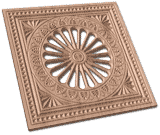





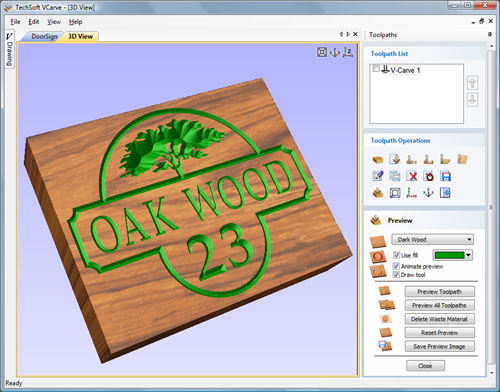
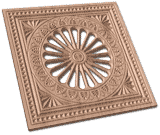
VCarve is an innovative piece of software which allows you to get a whole lot more from your CNC miller/router. It allows you to create an exciting 3D carving from a simple 2D image. The software has a range of drawing tools of its own and can import various vector formats. However, most users will probably start with a drawing created in 2D Design. (Using 2D Design V2 most clip art and even scans can be converted for use.) From the drawing, the VCarve software automatically generates a tool path to “V-carve” the image.
V-Carving produces a constantly varying and flowing 3D carved effect on the job, which is similar to how a craftsman would carve by hand. Imagine a stone mason cutting letters into a piece of marble, starting at a sharp corner, pushing the chisel deeper where a font stroke gets wider and pulling the tool out to form precise, sharp corners. V-Carving allows a V shaped routing or engraving tool to cut at varying depths to create a manually carved effect. Whilst very sophisticated, VCarve is user friendly, and has a short learning curve.
From VCarve, designs can be manufactured extremely quickly and give a really interesting 3D effect. VCarve designs can be added to both hand made products as well as being combined with CAD/CAM (see below for a range of possible uses).
Moulds for castingV-Carve the negative parts of the design in jelutong or modelling wax, to create a mould. Cast stunning jewellery pieces, badges or plaques in pewter or resin.
Decorative inserts in furniture
V-Carve designs into wooden furniture to create decorative panels or to add that extra special finishing touch.
Logos or motifs on CAD/CAM productsTake your standard key fob project and inject a wow factor by quickly V-Carving a design into the plastic.
SignageUse VCarve to create 3D relief signs. Use the texture toolpath to create an even more interesting hand carved finish.
VCarve outputs directly to all Roland 3D capable miller/routers and the TechSoft RouterCAM range.
Software InformationSite Licence Minimum Hardware Requirements Ordering When ordering please state: |

In the demo software, the only restrictions are that you will not be able to save files or output them. Also, to reduce download times, only a limited number of drawing textures and TechSoft fonts are included (the software will still be able to use the full range of Windows fonts). A pdf file containing a number of software tutorials is included in the download. On installation this file may be accessed from the 2D Design V2 Tutorials icon on your desktop. If you are unfamiliar with the software, working through these short tutorials is the quickest way of getting up to speed and is strongly recommended.