TechSoft
TechSoft UK Ltd., Falcon House, Royal Welch Avenue,
Bodelwyddan, Denbighshire, LL18 5TQ
Tel: 01745 535007 ~ Fax: 01745 535008
ProductsLink
 
SolidWorks Logo
The Complete 3D Design and Engineering Education Solution
 
CAD For Creativity

SolidWorks has been specifically created to give designers an intuitive and powerful tool to quickly get past learning how to use it, and onto the main task which is using it to design better products. Speak to any design professional or undergraduate and there is every chance they will know and respect SolidWorks as a global leader in 3D CAD – and there’s a pretty good chance that it is what they use in their day to day work.

Electronic Dice Project
Designed To Be Intuitive

It makes sense that students should be using such a relevant and credible product but (as many will have discovered with rival CAD systems), commercial credibility is not the same as educational suitability. SolidWorks is different. We believe that the designed-in advantages of SolidWorks make it by far the most appropriate system for education.

Grasping the Basics

3D CAD does require a new way of thinking and (whatever the package) you need to get the idea of planes, features and sketches clear in your mind, to be able to move on. SolidWorks makes these key concepts as clear and obvious as possible so, once grasped, learning builds on understanding rather than remembering which button to click. Help is always available to show you where tools are, what they do, and you can pause at any point to run through one of the many on-screen interactive tutorials if needed. In addition, SolidProfessor can be installed to work within SolidWorks and this takes you to another level of help and support as and when you need it. Each step of the modelling process is recorded in a history bar and, using this, you can go back to any point and edit the original work. Once the edit has been made all subsequent work will automatically update. Gone are the days of ‘bin it’ and start again!

Find Your Own Level

Alongside the main design area is a ‘Home’ tab which gives access to masses of on-line support, further tutorials and your own customer portal where case studies can be downloaded and viewed. Example videos range from entire millionaire yachts to jewellery and brakes for F1 cars - all modelled and tested in SolidWorks. Inspiring stuff that serves to demonstrate quite what a massive and powerful package this is. If it seems daunting then don’t worry. Very few users will be complete experts in every aspect of the software and most will be using the main features and tools that apply to their particular field. Education is no different. Most of the time students will be using SolidWorks to create straightforward parts that they can assemble, test, render and animate on-screen. If this seems like you’re only scratching the surface then that’s OK. As confidence grows, more advanced tools can be added to the repertoire and all have the same intuitive feel and built-in support.

Hook under Stress
Home Use

Any network license of the SolidWorks Education Edition, which is in subscription, provides students and teachers with a home use licence. If the licence is for <200 users an unlimited number of Student Design Kit (SDK) home use licences are available which provide the core 3D Design product SolidWorks. Network licences of 200 or greater are eligible for the Student Access Kit (SAK) which not only contains the core 3D Design product SolidWorks, but also Simulation, Toolbox, PhotoWorks, etc. One SAK licence is provided per user, eg., a 200 User Campus Licence also provides 200 licences (activations) for home use.

Features
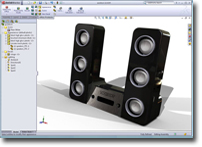
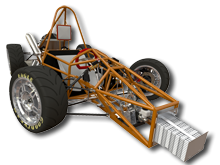
SolidWorks Examples
CAD/CAM Output

Don’t let a 3D image on the screen be the end of the process for your students. SolidWorks models can be easily saved as stereo lithography STL files for manufacture on all Roland 3D capable miller/routers, the TechSoft RouterCAM range and the Dimension 3D Printers. The students can then realise and handle their designs.

SolidWorks Student Edition

The SolidWorks Student Edition will be of interest to students or teachers who do not have access to the home use version, detailed above*. Eligible individuals can purchase the Student Edition to run on their home computers for personal learning or academic purposes.

Video Lessons on SolidWorks

Like having a superb teacher and a SolidWorks expert at your elbow whenever you need them.

Click here for your free online trial


Space Navigator - 3D Mouse

3D Mouse - Space Navigator

Space Navigator is essentially a 3D mouse for use with SolidWorks, Google Earth, etc. Pressure sensing technology allows the controller cap to become a virtual extension of you. Push, pull, twist or tilt the cap a fraction of an inch to simultaneously pan, zoom and rotate 3D imagery. Increase pressure to go fast or decrease pressure to make intricate adjustments.

TA-SPACENAV Space Navigator - 3D Mouse 45.00 Buy


Software Information

Minimum Hardware Requirements

Windows XP Pro SP2 (32-bit / 64-bit)
Windows Vista (Ultimate, Business & Enterprise editions only)
A full list of System requirements and recommendations can be found on the SolidWorks website

School, Lab and Class Licence Subscription

As well as automatic updates, the subscription also includes access to the Student Design Kit (SDK), which contains the core 3D Design product SolidWorks. An unlimited number of SDK licences are provided for use by students and teachers on their home computers.

Campus Licence Subscription

As well as automatic updates, the subscription also includes access to the Student Access Kit (SAK) which not only contains the core 3D Design product SolidWorks, but also Simulation, Toolbox, PhotoWorks, etc. Licences are provided for use by students and lecturers on their home computers. One SAK licence is provided per user, eg., a subscription for a 200 User Campus Licence also provides 200 licences (activations) for the Student Access Kit.


Prices £

Secondary Schools & FE Colleges

SolidWorks Education Edition:
Stand-alone 200.00 Buy
Classroom Licences Starting from 695.00 BuyEnquire
Subscription Renewals*
Contact TechSoft for subscription pricing Enquire
  1 Year 3 Year
Stand-alone 67.00 Buy 162.00 Buy
School Licence 400.00 Buy 600.00 Buy

Universities

 (also Secondary Schools & FE Colleges)
SolidWorks Education Edition:
Stand-alone 200.00 Buy
Network - 10 User Lab Licence 665.00 Buy
Network - 20 User Class Licence 1,265.00 Buy
Network - 30 User Class Licence 1,865.00 Buy
Network - 45 User Class Licence 2,531.00 Buy
Network - 200 User Campus Licence 3,300.00 Buy
Network - 500 User Campus Licence 3,995.00 Buy
Subscription Renewals*
  1 Year 3 Year
Stand-alone 67.00 Buy 162.00 Buy
Network - 10 User Lab Licence 250.00 Buy 615.00 Buy
Network - 20 User Class Licence 385.00 Buy 945.00 Buy
Network - 30 User Class Licence 500.00 Buy 1,230.00 Buy
Network - 45 User Class Licence 534.00 Buy 1,311.00 Buy
Network - 200 User Campus Licence 700.00 Buy 1,722.00 Buy
Network - 500 User Campus Licence 800.00 Buy 1,968.00 Buy

* When you purchase SolidWorks, you receive a license that permits you to run that version of the software forever. However, SolidWorks is updated annually, and to automatically receive these updates, you need to be on subscription.
(The first year’s subscription is provided F.O.C. with the software.)

A range of textbooks written by SolidWorks Certified Professionals are available. Full details can be found here.


Enquiry Form

Please fill in the form, we will respond to your enquiry as promptly as possible.

Your Name:*
Position/Title:
School/College/University Name:*
Postcode:*
Tel. No.
Email:*
Confirm Email:*
Comments:
< Enter Code:
TechSoft may email you with news/information regarding its products. If you do not wish to receive such correspondence please un-tick this box before submitting this enquiry.

* Indicates required field

BusyProcessing...