






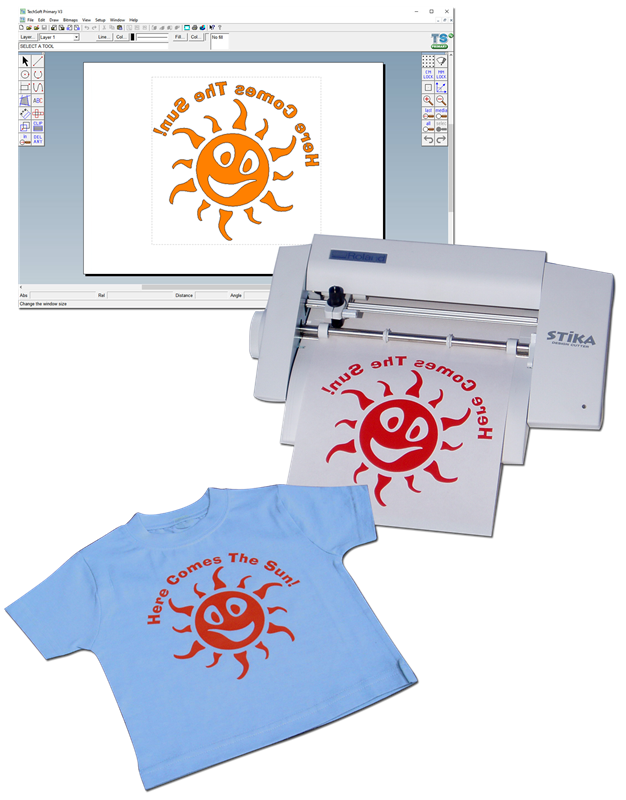
Most simple ‘paint’ packages work by colouring dots (pixels) on the screen - this looks OK and you can print out the drawing, but that’s about all. 2D Primary is a ‘vector’ package and every line and shape you draw will have a unique mathematical identity defined in terms of coordinates and geometry. You won’t be aware of this when designing, but it means that drawings can be edited, dimensioned and output to a CAM machine. Printed copy will be exactly the right size and not scaled to fit the page. This is the way that most commercial Graphic and Computer Aided Design packages work, so 2D Primary is a great preparation for future learning and provides pupils and teachers with powerful new tools at KS2. The software uses a familiar Windows interface and is logical and easy to use, so pupils and teachers will quickly be up to speed.
2D Primary can’t be beaten for making accurate project
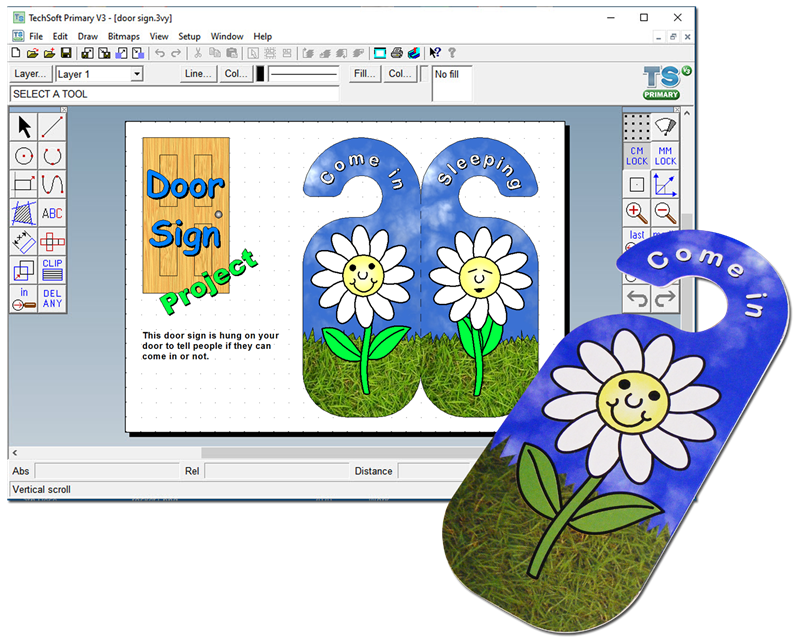
plans. These can include dimensions and can be ‘filled’ in flat colour,
shaded (or graduated) colour, or even photo-images of the material they will
be made from. Plans can be printed onto label paper to make accurate
templates, or pages can be bordered, titled and printed onto regular paper
as a record for design folders.
2D Primary makes a great graphic design tool as well. Text, photographs and
accurate drawings can all be combined making it ideal for presentation
pages, or for creating posters and leaflets. We’ve been careful not to
overload the software with too many tools but have included simple ways to
change photo-images and trim them to size and shape.
You don’t need to be aware of the geometry working for you under the surface of 2D Primary, to be able to create accurate drawings, but it is there and if you want to focus on numeracy then why not? Many Primary schools find it the ideal package to support pupil’s learning in mathematics; shape, space, pattern, size and number. Using 2D Primary to design presentation pages could, of course, be used anywhere in the curriculum.
Using 2D Primary for CAM (Computer Aided Manufacture) takes you onto another level – not only can you draw things, you can make them too!
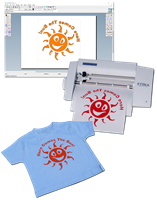
Lines drawn in 2D Primary are more than just images - in ‘computer-speak’ they are called vectors. These show you what you have drawn but also contain coordinates to ‘steer’ a CNC machine. A simple Stika machine makes a great starting point for proper CNC work. A Stika uses a tiny blade to cut a vast range of ‘applied media’ to make, for example, stickers, badges, or iron-on logos. The process is simple, safe and output is direct from the 2D Primary drawing.
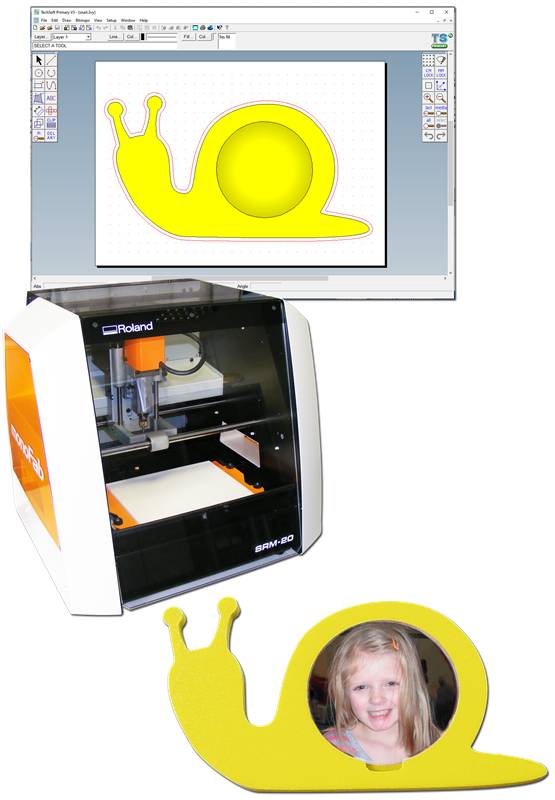
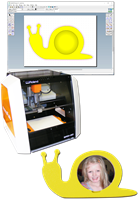
CNC milling and engraving machines work in the same way as knife-cutters but use a rotating ‘bit’ (rather like a drill) to cut and remove solid material. Until now, CNC milling machines have been too expensive for most Primary schools but the new iModela has changed all that. Using the same 2D Primary software, iModela will happily cut out shapes in light modelling materials to make, for example, accurate parts for projects, stamps, badges and moulds. iModela is safe and simple to use.
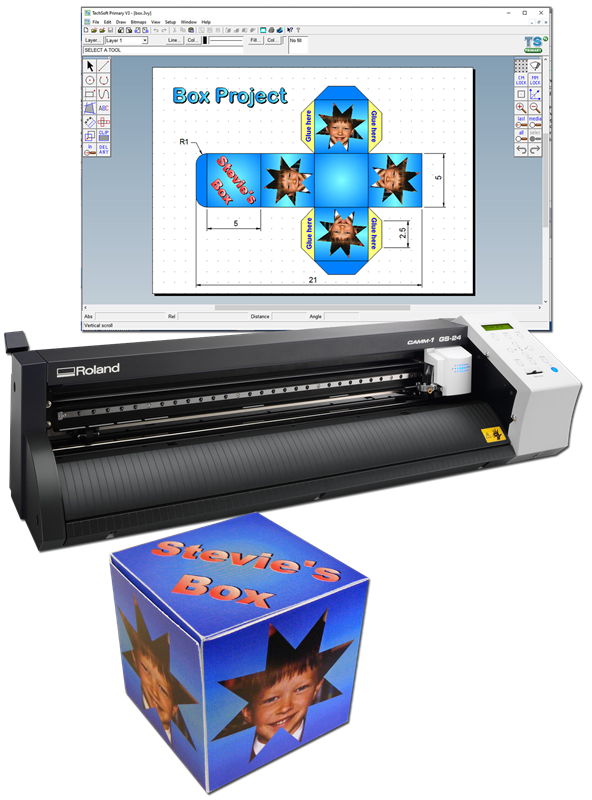
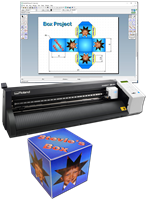
At its simplest, the Roland CAMM 1 GX-24E is a super-fast, super large Stika. It is therefore useful for enterprise projects, but there’s more to it than that! The GX-24E has an optical registration feature that allows the cut path to be aligned with printed graphics. It also has sufficient power to cut thin card. This means that stickers and card packaging nets can be printed using a regular printer and then cut-out to professional standards using the GX-24E.
Software InformationSite Licence Student Licence Minimum Hardware Requirements Ordering When ordering please state: |
Prices £ excluding VATCAD Software:
CAM Machines (controlled by the software):
CAD/CAM Package:
* 2D Primary is only available at this special low price to schools teaching students of year 6 and below. All other establishments must pay the full price of £175 for a single license, £425 for a site license. |
In the demo software, the only restrictions are that you will not be able to save files or output them. A pdf file containing a number of software tutorials is included in the download. On installation this file may be accessed from the 2D PCB Tutorials icon on your desktop. If you are unfamiliar with the software, working through these short tutorials is the quickest way of getting up to speed and is strongly recommended.